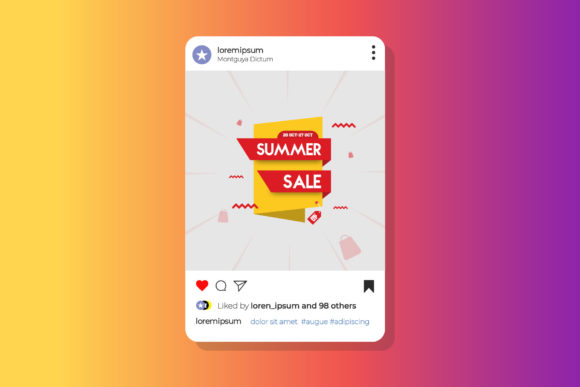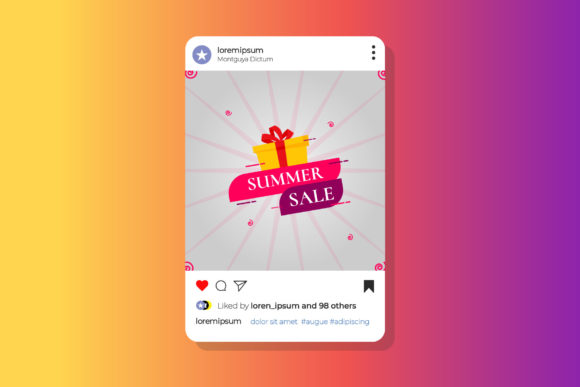
Summer Sale Ads Vector Banner Template
Crafting Irresistible Offers: A Template Built for Impact
Summer is a season of energy, color, and opportunity. For businesses and creators, it's the perfect time to launch promotions that capture attention and drive action. A well-designed sale banner is often the first point of contact between your offer and a potential customer. It needs to communicate value instantly, look professional, and feel cohesive with your brand. That's where a high-quality, editable template becomes an invaluable asset, saving you time while ensuring a polished result.
This particular vector banner template is designed specifically for the vibrant context of summer sales. Created in Adobe Illustrator, it leverages the power of vector graphics, meaning you can scale your final design to any size—from a small social media post to a large printed poster—without losing a single pixel of quality. The template arrives at 800x800 pixels at 72 DPI in RGB color, which is an excellent starting point for digital campaigns on platforms like Instagram or Facebook. However, the true value lies in its complete editability. Every element is a separate, modifiable object. You can change colors to match your brand palette, swap placeholder images with your own product photos, and edit the text area to feature your specific sale details, discount codes, or call-to-action.
Beyond the Summer Sale: A Versatile Design Asset
While its name highlights a seasonal promotion, the utility of this template extends far beyond a single summer campaign. Think of it as a foundational design asset in your toolkit. The clean layout and modern typography provide a professional framework that can be adapted for numerous branding and marketing materials. For a small business owner, this means one template can serve multiple purposes throughout the year, ensuring visual consistency across different channels.
Consider these practical applications for the template's structure and style:
- Social Media Graphics: Use it to create not just sale announcements, but also new product launches, event invitations, or holiday greetings for your Instagram, Facebook, or Pinterest.
- Website Banners: Adapt the design for a homepage hero banner or a promotional section on your website to highlight current offers.
- Print Materials: With its vector nature, you can easily adjust the dimensions for flyers, in-store posters, or even packaging inserts, ensuring your print materials have the same sharp, professional look as your digital ones.
- Email Marketing Headers: A visually compelling header in your newsletter can significantly increase click-through rates. This template provides a ready-made solution.
- Digital Product Mockups: If you sell digital goods like ebooks, courses, or presets, use the banner style to create promotional graphics that make your offers stand out.
The key to effective branding is repetition and recognition. By using a consistent visual language derived from a template like this, you help your audience instantly identify your content, whether they're scrolling through a social feed or opening an email. This builds trust and reinforces your professional image.
Typography That Works: Clarity and Style in One Package
A banner's text is its voice. The included fonts in this template were chosen not just for their aesthetic appeal, but for their readability and modern feel. The article mentions that "free fonts have been used," and the "Font Link included in the Help File." This is a critical detail for any creator concerned with commercial licensing. Always check the license of any font you use, even if it's free. Reputable template creators often include fonts that are licensed for both personal and commercial use, but it's your responsibility to verify this for your specific project.
The fonts likely included are versatile enough to handle various roles within a design. You might have a bold, eye-catching display font for the main headline—"Summer Sale," for instance—and a cleaner, more legible sans-serif font for the details like dates, percentages, or product names. This hierarchy is essential for guiding the viewer's eye and ensuring your message is understood in seconds.
When you customize the template, keep these typography principles in mind:
- Maintain Hierarchy: Keep the most important information (the offer) the largest and boldest. Supporting details should be smaller but still clear.
- Limit Your Fonts: Sticking to the two or three fonts provided in the template is a safe bet. Adding too many different typefaces can make the design look cluttered and unprofessional.
- Check Readability at Size: Zoom out to see how the text looks at the intended display size. A font that looks great when you're zoomed in editing might become illegible when viewed as a small thumbnail on a phone screen.
- Color Contrast is Key: Ensure your text color has sufficient contrast against the background image or color. This isn't just an aesthetic choice; it's about accessibility for all viewers.
Putting It to Work: Your Customization Workflow
Getting started with the template is straightforward, especially if you have a basic familiarity with Adobe Illustrator. The process is designed to be intuitive, focusing on easy photo changing and text editing. Here’s a practical workflow to make the template your own:
First, gather your assets. Before you even open the file, have your brand's color hex codes, your logo (preferably in a vector format like .AI or .EPS), and the high-resolution product photos you want to use ready to go. This will streamline the design process.
Open the template in Adobe Illustrator CC. You'll notice the layers are likely organized logically—background, image placeholders, text elements, and decorative graphics. Begin by swapping the placeholder images. In Illustrator, you can often do this by selecting the placeholder and using the "Place" command to insert your own image. The template should be set up so your image fits neatly within a clipping mask.
Next, tackle the text. Use the Type Tool to select each text block and replace the placeholder copy with your sale details. Be concise. "Up to 50% Off" is more powerful than a long paragraph. Don't forget to include a clear call-to-action, like "Shop Now" or "Limited Time Offer."
Finally, adjust the colors to align with your brand. Select the background elements, shapes, or text and use the color picker to input your specific brand colors. This simple step transforms the generic template into a piece of branded communication. Because it's a vector file, you can experiment freely, knowing you can always revert changes or adjust elements without degradation.
By leveraging a pre-designed template like this Summer Sale Ads Vector Banner, you bypass the blank canvas paralysis. You start with a professionally composed layout that adheres to design best practices, allowing you to focus your creative energy on customization and messaging. It’s a practical, efficient solution for anyone looking to produce high-impact visual marketing materials that resonate with their audience and drive results. The combination of easy editability, scalable vector format, and included font resources makes it a robust tool for both immediate campaigns and long-term brand building.