Brekaut Keynote Template: Your Blueprint for Polished Presentations
We've all been there: staring at a blank Keynote slide, cursor blinking mockingly, knowing a critical pitch, workshop, or client update is looming. The pressure to create something professional, visually cohesive, and actually engaging can be paralyzing. This is where a well-structured template moves from being a nice-to-have to an essential tool. The Brekaut Keynote Template is designed precisely for this moment, offering a comprehensive framework that takes the heavy lifting out of presentation design.
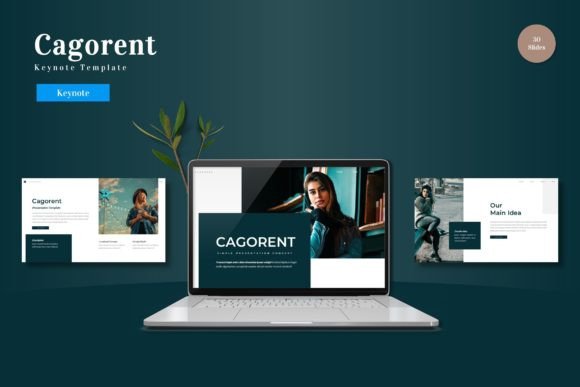
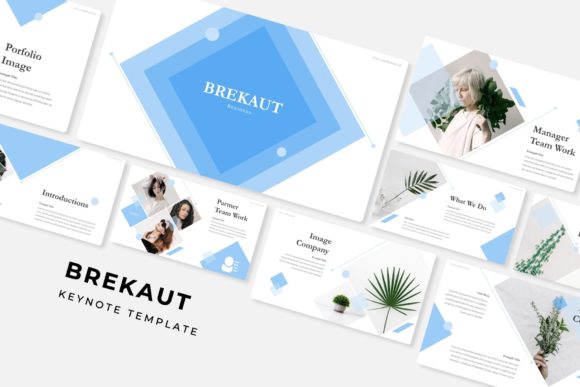
At its core, this isn't just a single set of slides. It's a robust system featuring over 150 total slides, built upon five distinct, premade color palettes. Each color scheme contains 30 carefully crafted slides, giving you a versatile library to match any brand, mood, or audience. The visual language is clean and contemporary, with a focus on clarity and impact. Think of it as a professional designer's toolkit, packaged and ready for you to customize.
Beyond Bullet Points: The Visual Tools Inside
What truly sets a premium presentation asset apart are the details that save you time and elevate your message. The Brekaut Keynote Template includes several features that address common design challenges head-on.
One of the standout elements is the collection of handcrafted infographics. These aren't generic chart placeholders. They are designed to help you explain processes, timelines, comparisons, and data in a way that is immediately understandable and visually appealing. Instead of spending hours aligning boxes and arrows, you can select a pre-built infographic that suits your data and simply plug in your content.
For those moments when you need a visual break or a powerful transition, the dedicated section break slides are invaluable. They provide a clean, branded pause in your narrative, helping to segment your talk logically and keep your audience oriented. Similarly, the gallery and portfolio slides offer elegant layouts for showcasing work, case studies, or product imagery, moving beyond simple photo dumps to curated visual storytelling.
Practicality is key for real-world use. All graphics are resizable and editable, allowing you to adjust sizes and colors to fit your specific needs. The picture placeholders are designed for drag-and-drop functionality, making it incredibly simple to insert your own images without distorting the layout. Built on master slides, any change you make to a core element—like a footer or logo—updates across every relevant slide, ensuring pixel-perfect consistency throughout your entire deck.
Applying the Template to Your Brand and Projects
The true value of a resource like the Brekaut Keynote Template is measured by its application. For a small business owner or entrepreneur, this template can become the backbone of all external communication. Use it to craft investor pitches that look polished and credible, design internal training materials that employees actually engage with, or create client-facing reports that reinforce your professionalism.
For marketers and content creators, it's a powerhouse for developing consistent brand assets. Imagine preparing a series of social media graphics or a webinar deck where every element aligns perfectly with your established brand identity. The five color variations allow you to adapt the same foundational design to different campaigns or audience segments while maintaining a recognizable visual thread. This consistency is fundamental to building brand recognition and trust.
Designers and freelancers will find it accelerates their workflow. Instead of building presentations from scratch for each client, you can use this as a sophisticated starting point. Customize the colors, swap out the fonts, and tailor the content to deliver a high-value final product in a fraction of the time. The included "Readme First" file and links to the free fonts used ensure you can get set up quickly and understand the design intentions.
Making It Your Own: Practical Customization Tips
Having a powerful template is one thing; using it effectively is another. Here’s how to approach customizing the Brekaut Keynote Template for maximum impact.
First, start with the color palette. The five premade options are your starting line, not the finish line. If none match your brand exactly, use them as inspiration. Keynote's color tools allow you to easily adjust the theme colors to your precise brand hex codes. Remember, the goal is visual consistency with your other materials—your website, business cards, and social media profiles.
Next, consider typography. The template uses specific free fonts for a reason—they complement the design's aesthetic. While you can change them, be strategic. If you swap the headline font, ensure the replacement has a similar weight and personality to maintain the design's balance. Always pair a distinctive display or serif font for headings with a highly readable sans serif font for body text. Test your pairings at different sizes to ensure clarity, especially for slides dense with information.
Finally, think about your content structure. The template provides a logical flow, but your story is unique. Use the section break slides to emphasize major transitions in your argument. Don't feel obligated to use every single slide; curate the ones that serve your narrative. The portfolio slides, for instance, might be perfect for a case study but unnecessary for a quarterly financial update. The asset is there to serve you, not constrain you.
Ultimately, the Brekaut Keynote Template is more than a collection of slides. It's a design system that empowers you to communicate with clarity and confidence. By leveraging its structured approach, rich visual tools, and adaptable color schemes, you can transform a routine presentation into a compelling visual experience that holds attention and drives your message home. It’s about spending less time wrestling with software and more time refining the ideas that matter.