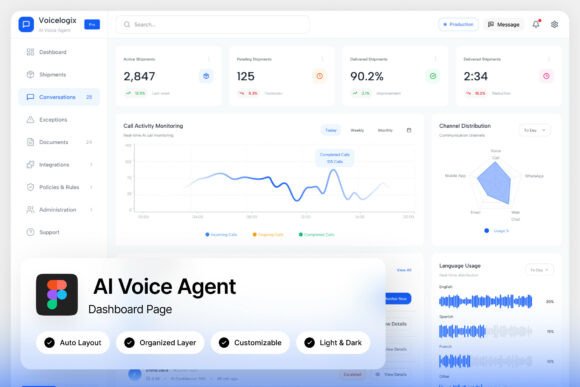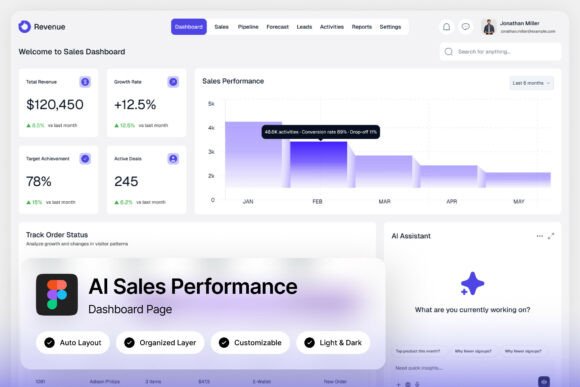
Revenue AI Sales Performance Dashboard: Visualizing Data for Smarter Decisions
Imagine having a real-time pulse on every deal, forecast, and performance metric across your entire sales organization. For revenue leaders, that clarity isn't a luxury—it's the foundation for growth. The challenge often lies in translating complex datasets into intuitive, actionable insights. A thoughtfully designed interface bridges that gap, turning raw numbers into a narrative that drives strategy.
A Template Built for Clarity and Action
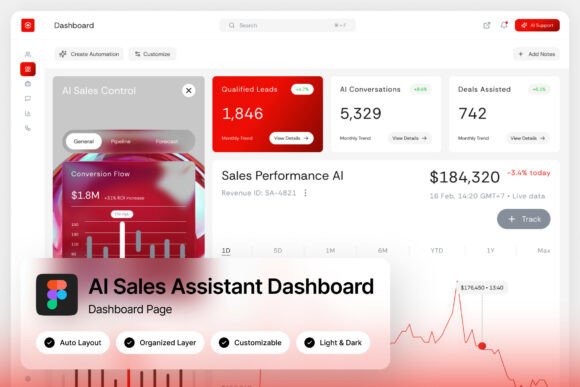
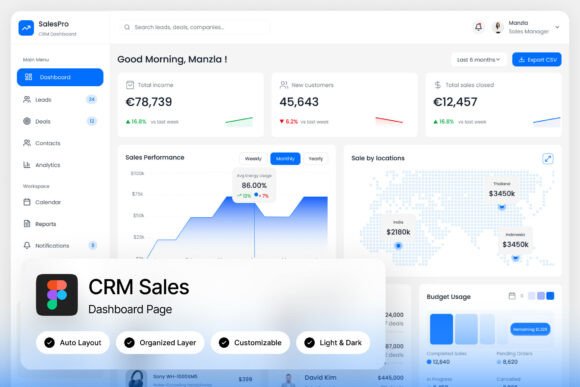
This dashboard template is engineered for professionals who need to see the story behind their numbers. It’s not just a collection of charts; it’s a strategic layout designed for revenue analytics platforms, CRM monitoring systems, and business intelligence applications. The design prioritizes visual hierarchy, guiding the user's eye from high-level KPIs to granular details without overwhelming them. Key metrics like monthly recurring revenue (MRR), customer acquisition cost (CAC), and sales pipeline velocity are presented in clean, modular cards that can be customized to reflect your unique business priorities.
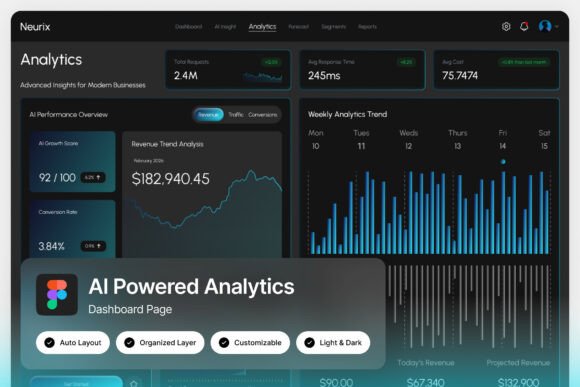
The interface offers both light and dark modes, a practical feature for users who spend extended hours analyzing data. This thoughtful detail reduces eye strain and adapts to different work environments, from bright office settings to dimly lit home studios. The pixel-perfect layout ensures that every element aligns precisely, which is critical when presenting data to stakeholders or clients—ambiguity in a dashboard can lead to misinterpretation and flawed decisions.
Practical Applications Beyond the Screen
While the primary use case is a functional admin dashboard, the design principles and assets within this package have versatile applications across the creative and business landscape. The clean, modern typography and structured grid system make it an excellent foundation for:
- Brand Identity Systems: The consistent use of spacing, color, and font pairings provides a blueprint for developing a cohesive visual language for a tech startup or SaaS platform.
- Marketing Collateral: The data visualization elements can be adapted for pitch decks, investor presentations, or webinar slides, maintaining a professional and data-driven aesthetic.
- Website and App Design: The UI components—buttons, toggles, cards, and navigation menus—are designed with usability in mind, offering a ready-made design system for product interfaces.
- Editorial and Publication Layouts: The grid-based approach and typographic hierarchy are ideal for annual reports, whitepapers, or magazine features focusing on business or technology topics.
Enhancing Your Workflow with Customizable Assets
One of the most valuable aspects of this resource is its focus on editability. The Figma file is organized with named and grouped layers, making it straightforward to modify colors, swap out fonts, or restructure modules to fit a specific project's needs. This level of organization saves significant time, allowing designers and entrepreneurs to focus on strategy rather than rebuilding components from scratch.
Included are links to free Google Fonts, which simplifies the process of maintaining typographic consistency when moving from design mockups to live web or app environments. The help guide provides clear instructions, ensuring even those with intermediate design skills can leverage the template effectively. This practicality is key for small teams or solo creators who need professional-grade tools without a steep learning curve.
Choosing the Right Visual Tools for Your Project
Selecting a design asset like this dashboard template is akin to choosing a premium font for a branding project—it’s about finding the right tool for the job. Just as a sans-serif font might convey modernity and clarity for a tech company, a well-structured dashboard layout communicates efficiency and insight. Consider these factors when integrating such a resource into your work:
- Project Goals: Is the primary need data visualization, client reporting, or internal team tracking? The template’s modular nature allows it to be tailored to each scenario.
- Audience: A dashboard for a C-suite executive will prioritize different metrics and visual simplicity compared to one designed for a sales operations manager who needs deeper drill-down capabilities.
- Brand Alignment: Customize the color palette to match your company’s brand identity. Consistency in color usage across your dashboard, website, and marketing materials strengthens brand recognition.
Testing different layouts and font pairings within the file is a recommended step. Use the provided font links to experiment with how different typefaces affect readability and tone. A clean sans-serif for data labels ensures legibility at small sizes, while a complementary serif might be used for section headers to add a touch of sophistication. This process of refinement is what transforms a generic template into a powerful, branded tool.
Building a Cohesive and Professional Presence
Ultimately, tools like the Revenue AI Sales Performance Dashboard are about more than just displaying data—they’re about building trust and credibility. A polished, intuitive interface reflects professionalism, whether it’s used internally to align your team or externally when presenting to investors. It demonstrates a commitment to clarity and informed decision-making, which are invaluable qualities in any business.
For designers and creators, it represents a foundation to build upon. For entrepreneurs and marketers, it’s a shortcut to a professional presentation that can impress stakeholders. By leveraging a well-organized, customizable asset, you ensure that the visual communication of your performance is as strong as the performance itself, turning metrics into meaningful conversations and strategic actions.