Modernizing Your Sales Dashboard: A Template for Clear Insights
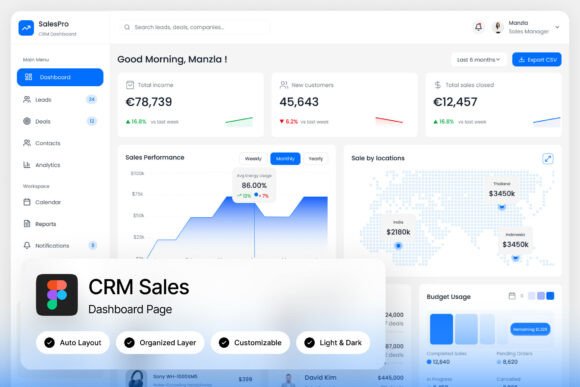
Ever feel like you're navigating your sales data through a fog? You have the numbers—leads, conversion rates, pipeline values—but they're scattered across spreadsheets, generic software, and mental notes. A well-designed dashboard cuts through that noise, transforming raw data into a clear story of what's working and what needs attention. That's precisely the challenge the SalesPro CRM Sales Dashboard Landing Page template tackles, offering a sleek, modern framework designed to make your customer management and sales tracking not just functional, but intuitive and visually compelling.
More Than Just Charts: The Power of Purposeful Design
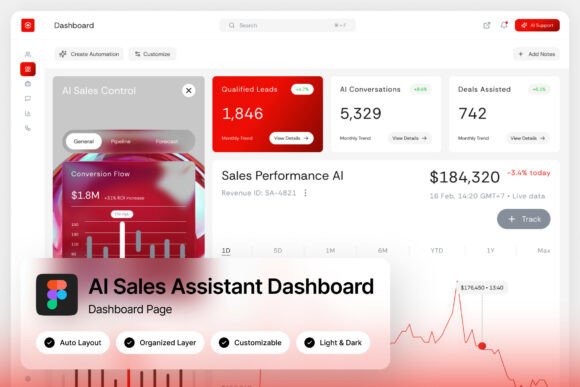
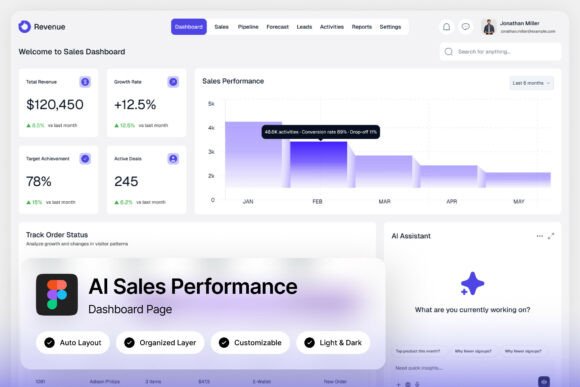
What makes a dashboard truly effective? It's not about cramming every possible metric onto one screen. It's about presenting the right information, in the right way, to the right person. The SalesPro template excels here with its pixel-perfect layout and well-organized, named, and grouped layers. This isn't just about looking good (though it certainly does); it's about reducing cognitive load. When a sales manager opens this dashboard, key performance indicators like monthly revenue growth, top-performing products, and sales team activity are immediately accessible. The clean, modern typography and balanced use of space guide the eye naturally, preventing the overwhelm that plagues so many business analytics tools.
Think of your dashboard as the cockpit of your business aircraft. You need critical instruments—altitude, speed, fuel—front and center, with less urgent data available but not distracting. The light and dark mode interface is a practical nod to this principle, allowing users to choose the setting that reduces eye strain during long hours of analysis or suits their ambient lighting. This attention to user experience is what separates a premium design asset from a simple mockup.
Practical Applications for Brands and Creators
While built for a CRM sales dashboard, the design principles and layout structure of this template have versatile applications across various projects. For a brand strategist or marketing professional, the template serves as an excellent starting point for designing client-facing reports or internal marketing dashboards. Its professional, data-driven UI elements lend credibility and clarity, which is crucial when presenting campaign performance to stakeholders.
- Web Design & SaaS Applications: Use the layout as a wireframe or direct inspiration for the admin panel of a web app or corporate SaaS product. The structure for user management, activity feeds, and data visualization is already thoughtfully organized.
- Editorial & Presentation Design: Adapt the grid and chart layouts for data-rich editorial pieces in magazines or blogs, or for creating polished, data-heavy slides for investor pitches and quarterly reviews.
- Brand Identity Systems: The consistent use of color, spacing, and typography within the dashboard can inform the broader visual consistency of a brand's digital ecosystem, ensuring that a company's website, internal tools, and customer portals all feel unified.
For a small business owner or entrepreneur building their own tools, this template is a goldmine. Instead of starting from a blank canvas in Figma, you have a fully customizable foundation. You can easily edit colors to match your brand palette, swap out placeholder text for your specific metrics, and adjust modules to reflect your unique sales process. It accelerates the path to having a professional presentation of your business data, which can improve internal decision-making and impress potential partners.
Achieving Visual Harmony and Brand Recognition
One of the template's most significant strengths is its contribution to visual consistency. When your internal tools look and feel like your external website and marketing materials, you reinforce brand recognition at every touchpoint. The modern, clean aesthetic of the SalesPro dashboard—with its balanced mix of data cards, progress bars, and activity timelines—can set a design language that permeates your entire operation.
Consider the font pairings at play. A strong, sans serif font likely handles the bulk of the data for maximum readability, while a complementary serif font or a subtle script font might be used for headings or specific call-outs to add a touch of sophistication. Studying how the template pairs typefaces can give you practical insights for your own projects, whether you're designing a logo, packaging, or social media graphics. The included free Google Fonts make replication straightforward, ensuring you can maintain the same clean look without licensing headaches.
From Template to Tailored Asset: Making It Your Own
The true value of a resource like the SalesPro dashboard lies in its adaptability. The Figma file (.fig) is your playground. The layers are named and grouped logically, which means you're not hunting for "Rectangle 237" when you want to change a button color. This easy editing process is crucial for content creators and designers who need to iterate quickly. You can duplicate modules to add new data categories, remove sections that aren't relevant, and prototype interactive states for a development team.
Before you dive in, take a moment to review the Help Guide (.pdf). It often contains valuable tips on how the file is structured and best practices for customization. Also, verify the commercial licensing considerations for any fonts or assets you plan to use in final, distributed products. While the template itself is a design asset, ensuring all components are cleared for commercial use is a non-negotiable step for any professional project.
Ultimately, a tool like this is about empowerment. It provides a sophisticated starting point that elevates your work, saving you time while ensuring a high-quality result. Whether you're refining your company's internal analytics, designing a client project, or building a product from the ground up, having a premium, modern design template in your toolkit means you can focus less on foundational layout and more on the strategic insights and unique branding that will drive your project forward. It’s a practical step toward clearer communication and more effective data management, wrapped in a package that respects both form and function.