Moode Google Slide Template: A Designer's Guide to 150+ Slides
Creating a presentation that feels cohesive, professional, and visually engaging can feel like a monumental task, especially when you're juggling the core demands of running a business or managing a brand. The goal is to communicate your ideas clearly, but the process of aligning every slide, choosing complementary colors, and ensuring a polished look often consumes time better spent on strategy or content creation. This is where a well-structured presentation framework becomes invaluable, not as a crutch, but as a catalyst for clarity.
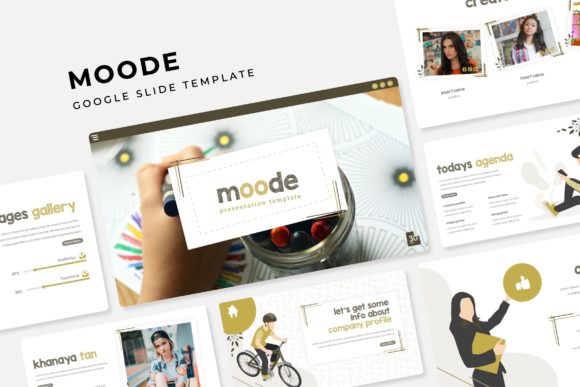
The Moode Google Slide Template is built to address this very challenge. It’s not merely a collection of slide layouts; it’s a comprehensive design system for presentations. With over 150 total slides, organized across five premade color schemes, it offers a substantial toolkit for anyone who needs to build presentations that resonate. Each color variation provides 30 distinct slides, ensuring you have ample options for different sections of your talk without visual repetition.
Building a Visual Language for Your Brand
For small business owners and entrepreneurs, consistency is the bedrock of brand recognition. The Moode template facilitates this through its master slide system. By editing the master slides, you can instantly apply your brand’s specific fonts, colors, and logos across the entire presentation. This pixel-perfect approach means your pitch deck, internal training, or client update will visually align with your website, social media graphics, and other marketing assets, reinforcing a unified brand identity with every click.
The template’s handcrafted infographics and section break slides are particularly useful for storytellers. Instead of presenting raw data in a simple table, you can visualize complex information—like market trends, project timelines, or operational processes—using the included, editable graphics. This transforms your slides from passive information displays into active engagement tools. The gallery and portfolio slides offer a clean, grid-based layout perfect for showcasing past work, product lines, or case study visuals, making it an ideal companion for creative agencies, freelancers, and e-commerce brands.
From Presentation to Multi-Channel Marketing Asset
Think of the Moode template as a starting point for a wider suite of materials. The clean, modern typography and structured layouts are excellent foundations for other design projects. A well-designed slide can easily be repurposed into a compelling social media infographic for Instagram or LinkedIn. The color palettes and visual style can inform the look of a webinar landing page, a PDF guide, or even the visual language for a digital product. The resizable and editable graphic placeholders, with their intuitive drag-and-drop functionality, make it simple to swap images and adjust elements, ensuring your final output is always polished.
For content creators and marketers, this adaptability is key. The same core presentation used for a live talk can be adapted into a lead-generating slide deck on SlideShare, a series of informational blog post graphics, or a visual script for a video tutorial. The five included PPTX files—both standard and widescreen formats—ensure you’re prepared for any platform or display ratio. This multi-use potential makes the investment in a premium template like Moode far more valuable than a single-use download.
Practical Considerations for Seamless Implementation
Before diving in, a few practical steps will ensure you get the most out of this design asset. First, review the included "Readme First" document. It will guide you on installing the free fonts used in the template, which is crucial for maintaining the intended aesthetic. While the preview photographs are for illustration only, the template’s layouts are designed to work beautifully with your own imagery. Use high-quality, relevant photos that speak to your content; the placeholder frames will help you crop and position them effectively.
When customizing, start with the master slides to set your global brand elements. Then, work through your content systematically. The template’s structure is logical, but feel free to rearrange sections to suit your narrative flow. Test your font pairings if you choose to deviate from the included fonts—ensure your headings, subheadings, and body text maintain clear hierarchy and readability, even from the back of a room or on a small mobile screen. Finally, always double-check the licensing for any commercial use to ensure compliance, especially if you’re creating assets for clients.
Ultimately, a tool like the Moode Google Slide Template is about removing friction from the design process. It provides a professional, aesthetically sound framework so you can focus your energy on what you do best: delivering your message, growing your brand, and connecting with your audience. It’s a practical asset for anyone who values both visual quality and operational efficiency in their creative or business communications.